
Release Gates for LLM Features
How to define blockers, warnings, thresholds, and decision records before releasing LLM-backed features.
- Author
- EAVAE Labs
- Reviewed by
- EAVAE Labs
- Published
- Jul 12, 2026
- Updated
- Jul 12, 2026
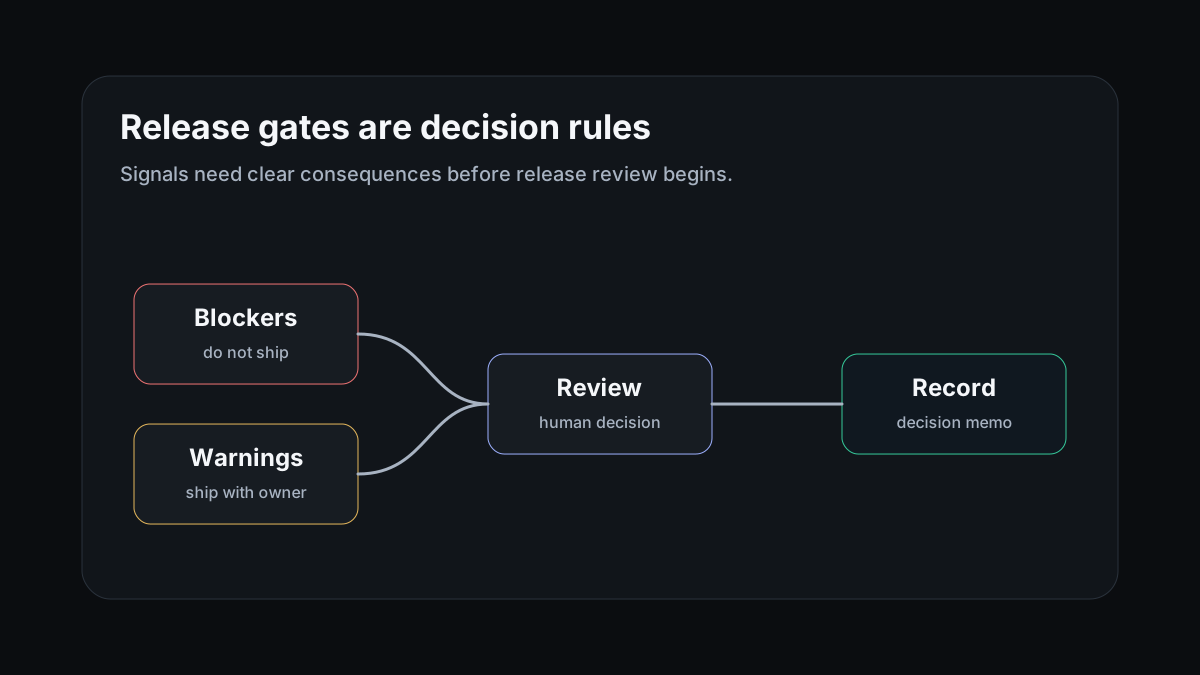
A release gate is a decision rule
A gate should state what blocks release, what warns but allows release, and what evidence must be reviewed by a human owner.
The rule needs to be tied to the workflow. A generic LLM score is not enough if the actual risk sits in tool use, retrieval freshness, escalation, or policy handling.
Use blockers sparingly and clearly
Good blockers are concrete: unsafe action, missing required escalation, stale retrieval for critical content, unreproducible critical failure, or regression on a protected task set.
If every issue blocks release, the gate becomes unusable. If nothing blocks release, the gate is theater.
Leave a decision record
The release review should produce a memo: inputs reviewed, known failures, thresholds, blockers, residual risks, and the owner of follow-up work.
That memo becomes the baseline for the next candidate release.